Device Details
Overview
| Name | Version: | CC Track Router 1.21 |
| Author: | Glissberg |
| Device Type: | MIDI Effect |
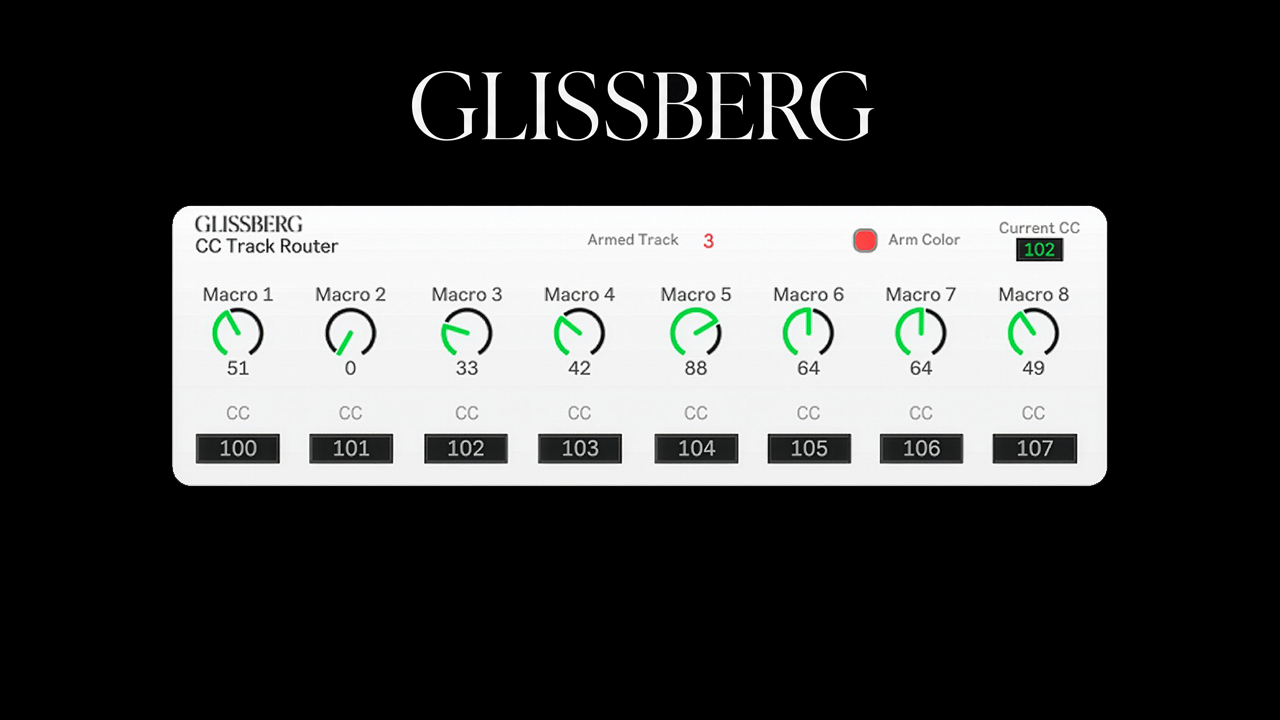
| Description: | CC Track Router is a Max for Live MIDI effect that lets you control the macros of any track in Ableton with the same set of physical controllers, automatically routing to whichever track you arm. One set of controllers. Every track. No remapping. The Problem: Building a MIDI controller setup in Ableton takes time. Mapping everything, remembering which controller does what on which track, and realizing you need yet another physical controller just to automate one more parameter. Switch tracks and you're remapping again. The more you want to automate, the more it gets in the way of making music. CC Track Router changes this fundamentally. Assign your controllers once. They follow whatever track you arm. How It Works: Place CC Track Router on an empty MIDI track. Type in the CC number of the controller you wish to use. Arm any track in your session and your controllers will control that track's macros exclusively. Arm a different track and they follow instantly. Need to record the same macro movement across multiple tracks simultaneously? Arm up to four tracks at once. One controller movement writes automation on all of your armed tracks. All 8 macro controllers work simultaneously and independently. Move several at once and each one records its own automation correctly without interfering with the others. CC Track Router does not interfere with Ableton's native MIDI mapping. Both can be used alongside each other freely. No remapping. No conflicts. Just arm and play. Key Features: Control up to 8 macros simultaneously on any armed track with the same physical controllers. Up to 4 simultaneously armed tracks. Fully configurable CC input numbers to match any hardware controller. Automatic parameter scaling detection for a seamless workflow across any device type. Works alongside any existing MIDI mappings without interference. Optional track color indication so armed tracks turn red automatically. Current CC display to instantly identify any controller's CC number. Works with grouped tracks. Handles missing or unconfigured parameters gracefully. Clean professional UI with real time macro value display. Setup: - Place CC Track Router on an empty MIDI track - Set the track monitor to In - Type the CC number of each controller into the corresponding CC input field. Not sure what CC number your controller sends? Just move it and the Current CC display will show you instantly. - Arm a track and start playing Requirements Ableton Live 11 or 12 with Max for Live. Max for Live is included in the Suite edition or available as a separate add-on for Standard. An external MIDI controller with CC knobs or faders. Available on Gumroad: https://glissberg.gumroad.com/l/asyyut Developed by Glissberg. Built by a musician for musicians. Every tool solves a real workflow problem so you can focus on what matters most: creating. |
Details
| Live Version Used: | 12.0.5 |
| Max Version Used: | 9.1.4 |
| Date Added: | May 18 2026 04:45:17 |
| Date Last Updated: | May 18 2026 14:26:06 |
| Downloads: | 0 |
| Website: | https://glissberg.gumroad.com/l/asyyut |
| ⓘ License: | Commercial |
Average Rating
(1) Log in to rate this device |
5 |
Comments
Thank you for making this one. I was looking for something to help me out with automation recording to make it sound organic and this saves me so much time.
Posted on May 18 2026 by Michi90 |
Report Issue
Login to comment on this device.
Browse the full library